


The Ledger - Lakeland, Florida
3.642.00 Reviews
App Specs
- Version
- 8.10.3
- Updated On
- License
- Free
- Downloads
- 10,000+
- Developer
- USA TODAY Co.
- Categories
- News & Magazines
- Platform
- Android
Screenshots
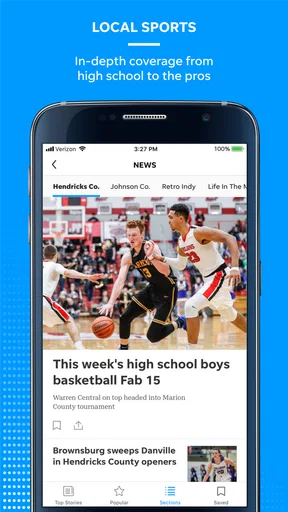
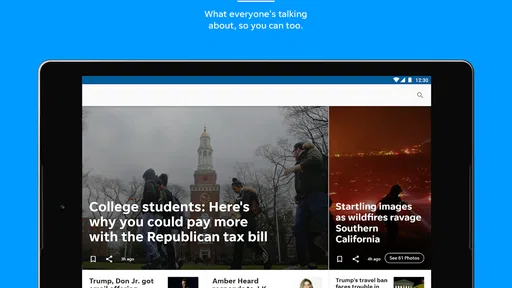
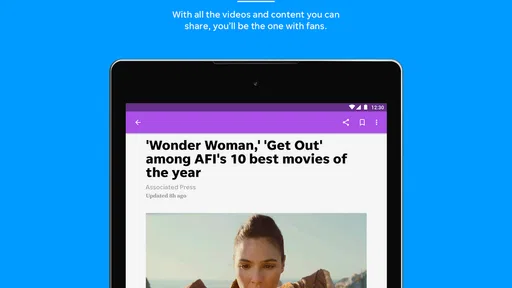
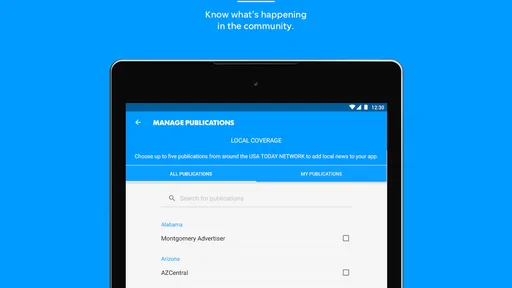
 Analysis by AppCompare
When I want local news from Lakeland without sorting through a broad national news feed, I look for an app that keeps the community close to the center. The Ledger is built for that purpose, combining Lakeland-area coverage with wider news, photography, and video in one News & Magazines app. After spending time with it, I see it as a focused choice for readers who want a local starting point rather than another general-purpose headline stream.
My recommendation depends on what you expect from a news app. If your priority is staying connected to Lakeland, checking local developments during the day, and having national stories available in the same place, this app makes sense. If you mainly want a completely customizable feed, a broad international perspective, or a reading experience with no subscription prompts, you may feel more comfortable with a different type of news service.
How I judged its value as a local news app
I approached The Ledger as a decision rather than a simple feature tour. The important questions for me were practical: does it help me find local stories quickly, does the visual content add something useful, can it also cover the bigger picture, and is the free download enough for casual reading? Those questions matter more than a long feature list because local news apps are most valuable when they reduce the effort between opening the app and understanding what is happening nearby.
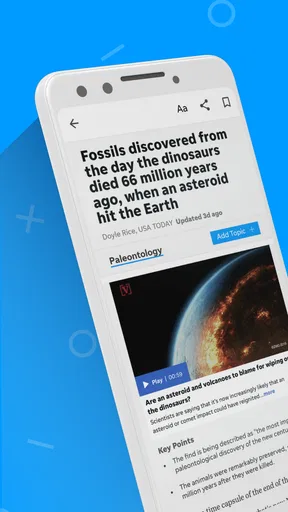
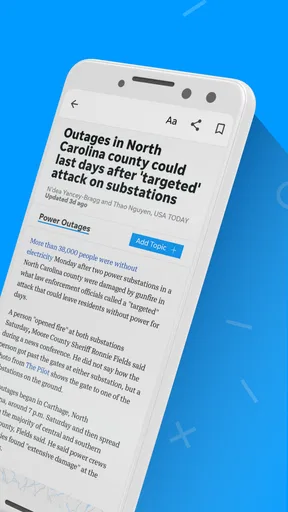
The app comes from USA TODAY Co., and its identity sits between a community publication and a broader news destination. That combination is useful when I want local context but do not want to open separate apps for national headlines. The store summary emphasizes local and national news, photography, and video, and that matches the role I would give it in my daily routine: a local-first news reader with richer media than a plain text bulletin.
The Ledger is free to install, carries an Everyone age rating, and supports devices running Android 8.0 or later. Its current version is 8.10.3. Optional purchases range from $14.99 to $69.99 per item, so I would not treat the free installation as a promise that every part of the reading experience is permanently unrestricted. Before relying on it as my only news source, I would spend a few days checking how much of the content I personally need is available without an upgrade.
The public response is fairly mixed rather than universally enthusiastic. It has a 3.6 average from 144 ratings, alongside 42 written reviews, and the app has passed 10K+ installs. I read that as a sign to keep expectations realistic: there is a real audience, but the experience will not satisfy every reader equally. For me, the strongest reason to try it is its Lakeland focus, not the expectation of a flawless, all-purpose news platform.
The local-first workflow is its strongest reason to exist
The clearest advantage is the way the app gives local coverage a defined place in the reading experience. National news apps often bury community stories under politics, business, entertainment, and breaking headlines from far away. With The Ledger, I can begin with the area I actually live in or care about, then move outward when I have time. That order is more useful than a generic feed when my first question is, “What affects Lakeland today?”
Worth Reading Before You Choose

EA SPORTS FC Mobile 26 Is a Bigger Football Game, but It Takes Time

Flipboard Shows What News Apps Must Do Beyond the Feed

Switching to Android Auto Means Rethinking Your Driving Routine

Google Calendar Makes a Crowded Week Easier to Manage

Ludo King Makes the Most of the Minutes Between Plans

Baby Panda World Brings Quick Play to Modern Phones, but Its Game Library Feels Busy
A realistic example is a weekday morning when I have only a few minutes before leaving home. I can open the app to scan local headlines, read one story that affects my plans, and use the photography or video when a visual explanation is more helpful than text alone. Later, I can return for national coverage without changing apps. That is a small convenience, but it is exactly the kind of convenience that makes a local publication app worth keeping installed.
Another practical use is checking the app before making assumptions based on social media posts. Local conversations can be immediate, but they are often incomplete. A dedicated news source gives me a better chance of finding a fuller account, especially when an event, civic decision, or community issue is developing. I still would not treat any single publication as the only source for an important decision, but the local focus gives me a more relevant first read than a national aggregator.
Photography and video change how I consume stories
The visual side is more than decoration when a story depends on place, people, or visible change. Strong photography can help me understand a local event quickly, while video can provide useful context when a written article would require more time. I appreciate having those formats available because local reporting often benefits from showing the setting rather than describing everything in paragraphs.
There is also a trade-off. Visual content can make an app feel more engaging, but it may be less convenient when I am reading with limited time, limited attention, or a weaker connection. I would use the text-first approach for quick updates and save video for moments when I can actually watch it. That simple habit prevents the richer media from turning a short news check into an unexpectedly long session.
One useful tip is to judge the app by more than its headline list during the first few visits. Open a mixture of local articles, national pieces, photo-led stories, and video content. That gives a better picture of whether its editorial balance suits you. Someone who only wants short headlines may find the app more substantial than necessary, while a reader who values visual reporting may see the extra formats as a genuine benefit.
Where a different news category may fit better
The Ledger is not automatically the best replacement for every news habit. A national aggregator is usually better when I want many publishers in one stream, especially for comparing how different outlets cover the same major story. A dedicated international news service is a stronger fit for readers whose main interests sit outside Lakeland and the United States. A social feed may feel faster for people who want immediate reactions, although speed there can come with more noise and less editorial structure.
I would also choose a general news app over The Ledger if I wanted extensive personalization across unrelated subjects. For example, someone who mainly follows technology, markets, science, and international affairs may find a local publication app too narrow as a primary source. The local angle becomes an advantage only when local relevance is part of the reader’s daily priorities.
There is a second distinction between a publication app and a news aggregator: editorial shape. The Ledger gives me a more defined point of view around Lakeland and its surrounding community. That can make the reading experience easier because I do not need to build the local context myself. The downside is that I have less reason to expect the breadth or variety of a service designed to collect stories from many outlets.
If my goal were simply to receive urgent alerts, I would compare the app’s actual notification behavior with my tolerance for interruptions before making it central to my routine. I would not install it expecting every news need to be solved automatically. Instead, I would use it as the local layer in a wider information setup, particularly if I already have another trusted source for national or international coverage.
What the free entry point means in everyday use
Downloading the app costs nothing, which makes trying it low risk. That matters because the best way to assess a local news service is personal: the value depends on whether its coverage matches my neighborhood interests and whether I return often enough to justify any optional purchase. I would install it, read it during several different parts of the day, and only then decide whether the paid side adds enough value for me.
The presence of in-app purchases means I would pay attention to the point at which the app asks me to upgrade. That is not automatically a problem, but it affects the cost of switching from another news routine. If I already read free articles elsewhere, I need a clear reason to change. If I value local reporting and the app becomes part of my daily habit, the calculation is different. The right question is not whether the app is free to download; it is whether the complete experience I want remains worthwhile after any purchase prompts.
My advice is to avoid subscribing or spending immediately. First, identify the three kinds of stories you would use most: local updates, broader news, or visual reports. Then see whether the app serves those needs consistently. This workflow avoids paying for a service simply because the installation was easy, and it also prevents dismissing it before understanding its local value.
The cost of changing your news routine
Switching to The Ledger is easy at the installation level, but changing habits takes more effort. If I currently rely on a national app, I would need to remember to open a separate local source or make this app my first stop. If I rely on social media, I would need to accept a slower, more structured reading process. That is not a disadvantage for everyone; it is a question of whether I prefer curated local reporting over a constant stream of updates.
I would make the transition gradually. For the first week, I would use The Ledger during one fixed part of the day, such as breakfast, while keeping my existing source for broader coverage. This reveals whether the app fills a gap or merely duplicates what I already read. If it consistently gives me useful Lakeland context, I can promote it to my main local source. If I rarely open local stories, there is little reason to keep changing my routine.
Another overlooked cost is attention. Photography and video can improve understanding, but they can also encourage longer sessions. I would set a simple rule: scan local headlines first, choose only the stories that matter to me, and postpone video until I have time. That keeps the app useful without allowing the richer presentation to take over the day.
Who should install it, and who should skip it
I would recommend The Ledger to Lakeland residents, former residents who want a connection to the area, and anyone whose decisions or relationships depend on local awareness. It is also a reasonable choice for readers who like combining community coverage with national stories instead of maintaining several separate news apps. The visual emphasis makes it more appealing to people who prefer seeing the setting and people behind a story.
I would be more cautious for readers who want a single global news dashboard, highly granular topic controls, or a completely free experience without any possibility of paid access. Those users may be better served by an aggregator or a publication with a broader international mission. I would also skip it as my only news source if I needed multiple independent perspectives on major national or global events.
The app’s Everyone rating makes it approachable for a wide household audience, but that should not be confused with being equally useful to every age group or interest. Its real fit comes from geography and reading habits. If Lakeland coverage is not relevant to you, the central reason to choose this particular app becomes much weaker.
My recommendation after weighing the trade-offs
My honest view is that The Ledger works best as a local anchor, not as a universal replacement for every news service. I like the decision to put Lakeland coverage alongside national reporting, photography, and video because it gives the app a clear purpose. I also appreciate that the free installation lets me test that purpose before committing money or reorganizing my whole reading routine.
The limitations are just as important. A mixed 3.6 average suggests that some readers encounter friction, and the presence of optional purchases means I would examine the reading experience before assuming the free version is all I need. The app may also feel too geographically focused for someone who wants a wide-ranging news dashboard. Those are not reasons to reject it; they are reasons to choose it for the right job.
My practical recommendation is to use The Ledger for local awareness first and judge it by how often its Lakeland reporting helps you make sense of your day. Install it if community news, local photography, and accessible video matter to you. Give it a short trial alongside your current national source, rather than switching everything at once. If it becomes the quickest way for you to understand what is happening nearby, it has earned a permanent place on your phone. If your interests are mostly national, international, or topic-based, keep your existing broader alternative and skip the switch.
For the right reader, this is a useful, focused News & Magazines app from USA TODAY Co. Its value is not in trying to be everything; it is in making Lakeland news easier to reach while still leaving room for the larger stories around it.
Pros
- Provides local news and updates focused on Lakeland and Polk County.
- Covers community events
- public affairs
- and regional developments.
- Offers convenient access to stories from a mobile device.
- Useful for residents wanting to follow nearby issues and happenings.
- Helps readers stay connected with local journalism and community coverage.
Cons
- Coverage is mainly local
- so it may feel limited outside the Lakeland area.
- Some articles or features may require a subscription or account.
- News availability can depend on the publication schedule.
- Advertising may affect the reading experience on some screens.
- The app may offer fewer features than larger national news platforms.
FAQs for The Ledger - Lakeland, Florida
What is The Ledger app, and what type of content does it provide?
The Ledger is a local news app focused on Lakeland, Florida, and the surrounding Polk County area. It typically provides access to breaking news, local government updates, crime reports, community stories, sports, business coverage, entertainment, weather information, and opinion content. It is designed for readers who want a convenient way to follow important developments in Central Florida from a mobile device.
Is The Ledger app free to download and use?
The Ledger app can generally be downloaded at no cost from the relevant Android or iOS app store. However, downloading the app does not necessarily mean that every article or feature is completely free. Some stories, archives, or premium digital content may require a subscription, registration, or account. The exact access rules can change, so users should review the current subscription details shown inside the app before relying on it for unlimited reading.
Does The Ledger require a subscription to read articles?
A subscription may be required for unlimited access to certain articles or premium features, especially if The Ledger applies a digital paywall. Some news stories may remain available without payment, while frequent readers could be asked to subscribe after reaching a monthly article limit. The app should clearly identify restricted content and explain available plans, so check the account and subscription sections before purchasing or entering payment information.
Can I receive breaking-news notifications from The Ledger?
Yes, The Ledger app may offer push notifications for breaking news, major local developments, weather events, sports results, and other important updates. Notifications are normally controlled through the app and your phone’s system settings, allowing you to enable or disable them at any time. If you prefer fewer interruptions, you can keep only urgent alerts active or turn notifications off completely after installation.
Does The Ledger cover only Lakeland, Florida, or other nearby areas too?
Although The Ledger is strongly associated with Lakeland, its coverage generally extends across Polk County and nearby Central Florida communities. Depending on the story, readers may find reporting about local municipalities, schools, courts, public safety, transportation, regional business, sports, and countywide events. Coverage priorities can change, so users interested in a specific town or topic should explore the available sections and search tools after installing the app.


